Why should I use PhotoStructure?
If you’re lucky, you still have your grandparents’ photos, and if they were well stored, they look pretty much like they did 50 years ago. Digital storage hasn’t earned that kind of trust: hard drives die, cloud services come and go (mostly go!), and some even sell what your photos reveal about you — where, when, and with whom — to data harvesters.
PhotoStructure was built to earn that trust back: a permanent home for your photos and videos, where you stay in control.
PhotoStructure is uniquely focused on:
- 🏰 Ownership. Your files stay where you put them.
- 🏖️ Convenience. Easy to install, easier to live with.
- ✨ Rediscovery. Bring the rest of your library back to life.
- 🔒 Privacy. We sell software, not you.
- 💎 Durability. Built to last decades, not quarters.
Features unique to PhotoStructure are marked with a 🌟.
🏰 Ownership
PhotoStructure runs on your own computer. Your library, and every file in it, stays on hardware you control.
Beware of “shoebox” apps
Many photo management applications, like Google Photos, Apple Photos, and leading open source alternatives, go with the “Hotel California” approach: your photos check in, but they can never leave. With Google Photos, downloads may come back downsampled and stripped of dates, locations, and captions. The others copy your files into a hidden library directory only the app can read or write, with random filenames only a robot could love.
Edits you make inside their app stay inside their app until you explicitly export. Edit a photo anywhere else and you’re stuck exporting, re-importing, and fighting duplicates.
Shoebox apps certainly make the app engineers’ lives easier, but they make your life harder.
Your folders, your filenames, your call
PhotoStructure is not a shoebox app—and that turns out to be a much harder product to build, especially cross-platform. Tracking your files across drives, mount points, and operating systems while letting you rename, move, and re-file them at will is the kind of engineering problem most apps duck. We took it on because the alternative is to make it your problem.
Your files stay right where you put them, in their original formats and folders: visible in Finder or Explorer, editable in any tool, and copyable anywhere. Internal drive, external USB, SD card, network share (NAS), Docker bind mount — mix and match freely, unplug and re-plug, or move a drive to a different OS, and PhotoStructure keeps track of it all.
Want help organizing decades of chaos? PhotoStructure can sweep everything into folders of your own design: your template, your hierarchy, your filenames. And it’s not a one-way door: change your template later, and PhotoStructure reorganizes everything to match.
Your edits are yours, too
When you add keywords or a location, correct a date, or fix a caption in PhotoStructure, those changes go into XMP sidecars, small companion files that sit next to your originals. (You can configure other formats, too.)
Because those sidecars use the same formats Lightroom, digiKam, and other photo managers read, your work stays portable: edits from other tools show up in PhotoStructure, and edits made in PhotoStructure show up in them.
Your work lives in your filesystem, not in a proprietary database that will incinerate every tag and caption you carefully added the day it decides to corrupt itself.
Your library is portable 🌟
PhotoStructure doesn’t lock you in. Create your library on any drive, move it between Mac, Windows, and NAS, and it keeps right on working. No proprietary formats, no expensive hardware required. The library database is SQLite, the most widely deployed database engine in the world, with tables you can read yourself.
🏖️ Convenience
Self-hosted shouldn’t mean complicated. PhotoStructure installs in under a minute and works on whatever hardware you already have. No help needed from the family member with the “No, I Will Not Fix Your Computer” t-shirt.
Runs on what you already have
Forget expensive proprietary hardware and computer-science degrees. PhotoStructure happily lives on:
- Your laptop - MacBook, ThinkPad, gaming laptop, whatever you’ve got
- Your desktop - Windows, Mac, or Linux
- Your server - from a Raspberry Pi to an enterprise rack
- Your NAS - Unraid, Synology, TrueNAS - if it runs Docker, it runs PhotoStructure
- A rented cloud server (VPS) - the cloud experience without the cloud lock-in
Desktop installers cover macOS, Windows 10+, and Linux. Server installations (including Docker) work everywhere else. The web app itself runs in any browser, from an iPhone to an 8K monitor.
Upgrades land automatically for most editions, and PhotoStructure throttles itself so your computer stays usable while it chews through decades of backlog.
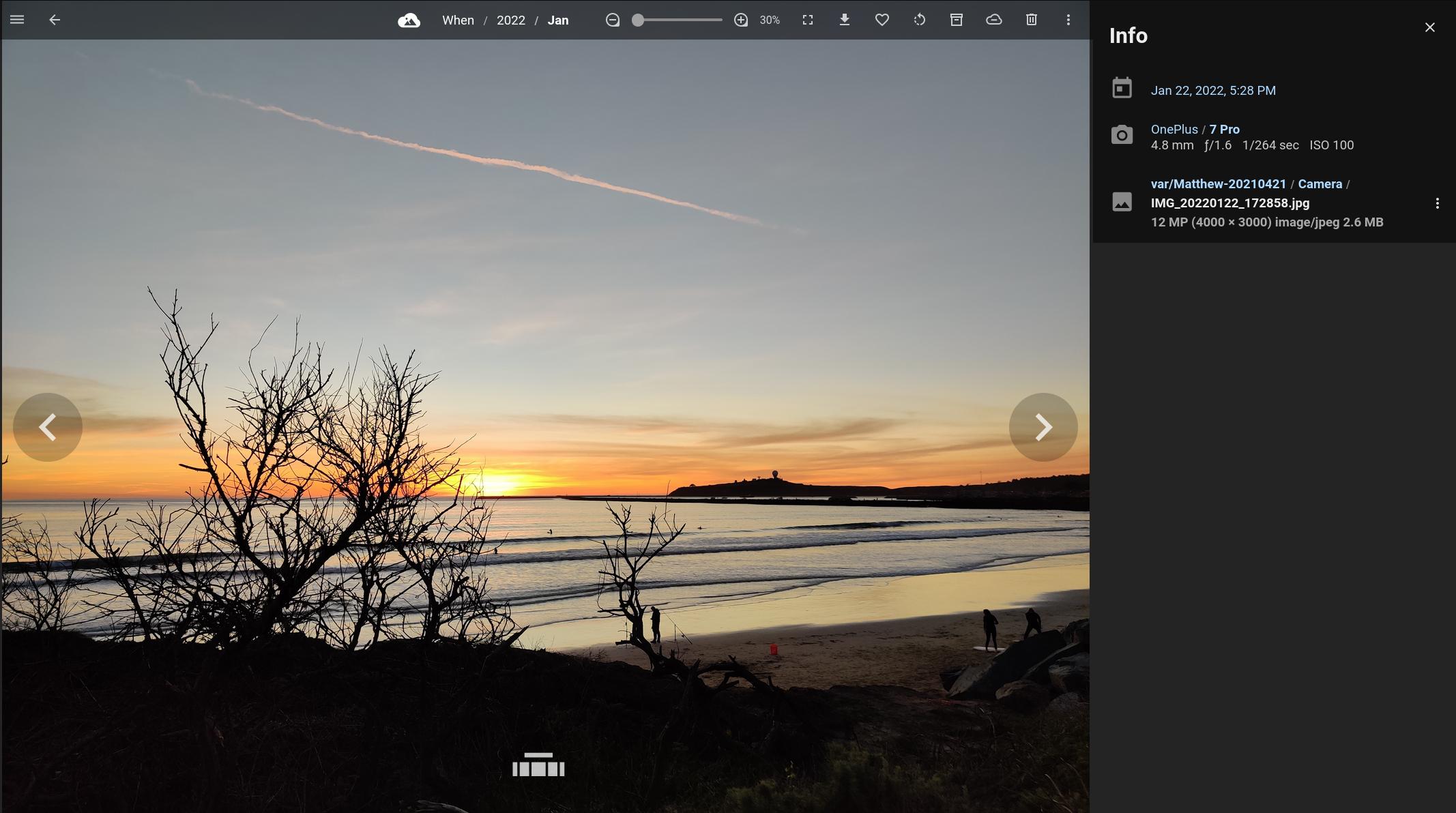
PhotoStructure’s full-screen asset view
From download to browsing in 60 seconds
The welcome page asks two questions: where should your library live, and where are your photos now? After that, PhotoStructure gets to work on its own. There’s nothing left to babysit.
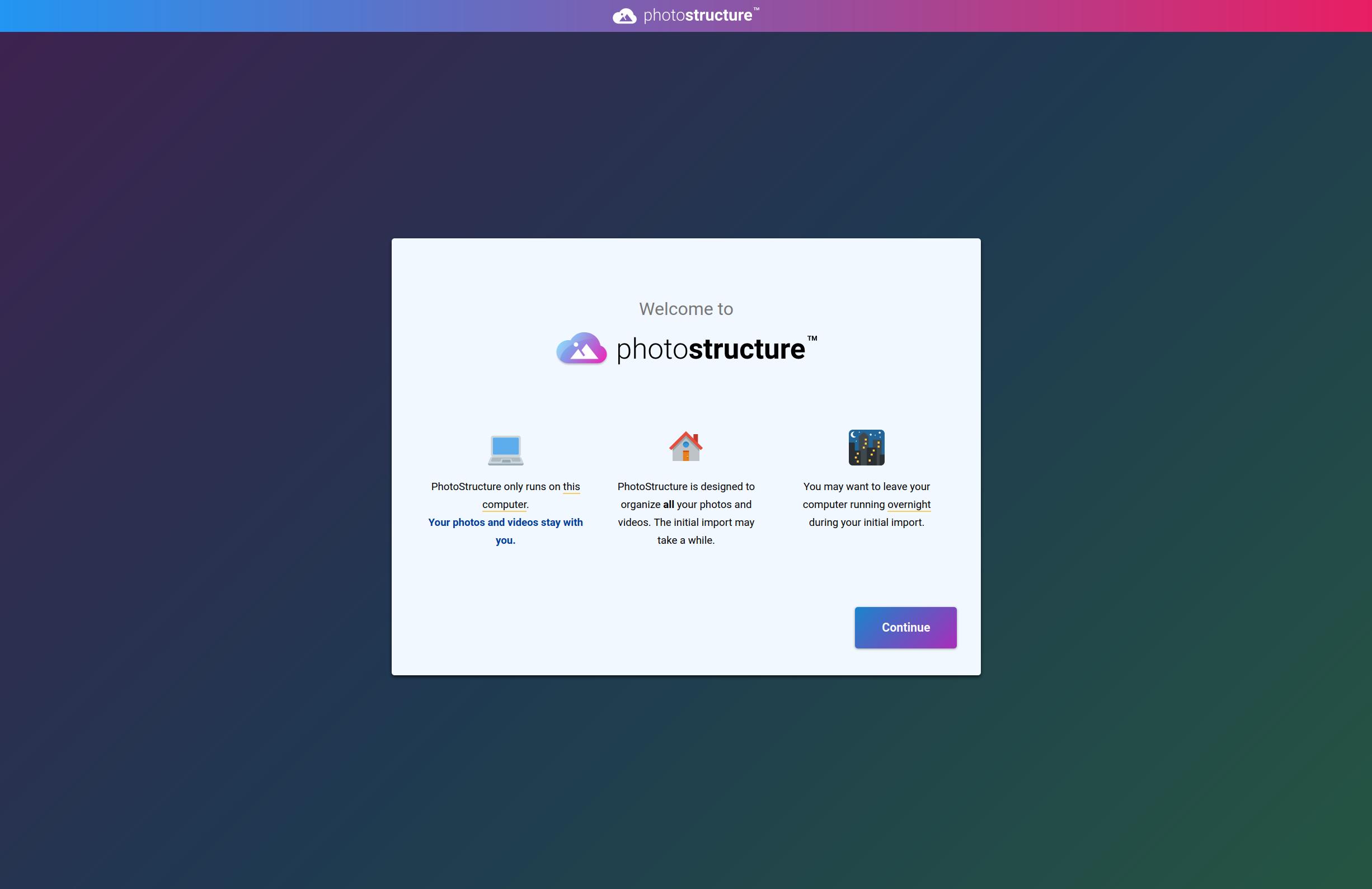
The welcome page - a couple clicks to get started
Reads every photo and video format under the sun
PhotoStructure supports several hundred formats, including everything coming out of every major dSLR, mirrorless camera, and flagship smartphone over the last 25 years.
Browsers can’t display raw photos, most video formats, or many still image formats on their own. PhotoStructure pre-renders high-quality web-friendly previews ahead of time, so browsing is fast and everything “just works.”
Recovers dates other tools miss 🌟
Photos lose their dates in a hundred ways: scanned slides have none, screenshots have wrong ones, copies through messaging apps strip them entirely. PhotoStructure checks .xmp, .mie, .exif, .exv, and Google Takeout .json sidecars to recover what’s there. When the date is still missing, PhotoStructure pieces it together from sibling files, folder names, embedded date stamps, and a few other tricks we’ve collected over the years.
The same detective work powers automatic organization, the part that decides “2007-08-23” for a photo with no EXIF date but a sensible folder structure around it.
Organizes the chaos
What I had before I started PhotoStructure: a pile of hard drives, old backups, duplicates of duplicates, and some files that had succumbed to bit rot. A big, intractable mess.
What I wanted: a deduplicated set of photos and videos in one organized folder hierarchy, and a tool that would find new photos automatically as I added them.
So I wrote it. Point PhotoStructure at every drive you’ve got (including that old backup folder with the long-forgotten baby pictures) and it will scan them all, sort everything into your folder template, and keep watching for new photos as you add them. No manual re-scans, no import step.
Super de-duper 🌟
PhotoStructure automatically groups duplicate copies, edits, and resized versions of your photos and videos. It understands that:
- The iPhone photo and the edited JPEG are the same moment
- The rotated version and the original are the same image
- The photo you cropped and the original share the same memory
- The burst sequence belongs together, even if file sizes differ
All of this scales to libraries with millions of files.
✨ Rediscovery
Every photo app is great at showing you last month; the rest of your library rarely comes up. PhotoStructure was built to bring it back to life.
Random sampling brings photos back to life 🌟
Your brain habituates — a well-studied effect where repeated stimuli fade into the background. You stop looking.
PhotoStructure flips the default. Every page shows a random sampling from your whole library:
- Home page - random selection from across decades
- Click “When” - random samples from every year, not just recent photos
- Click a year - random samples from each month
- Every visit is different - the page changes each time you look
The thing I hear most from PhotoStructure users: “I keep finding photos I’d forgotten I had.” That’s the goal.
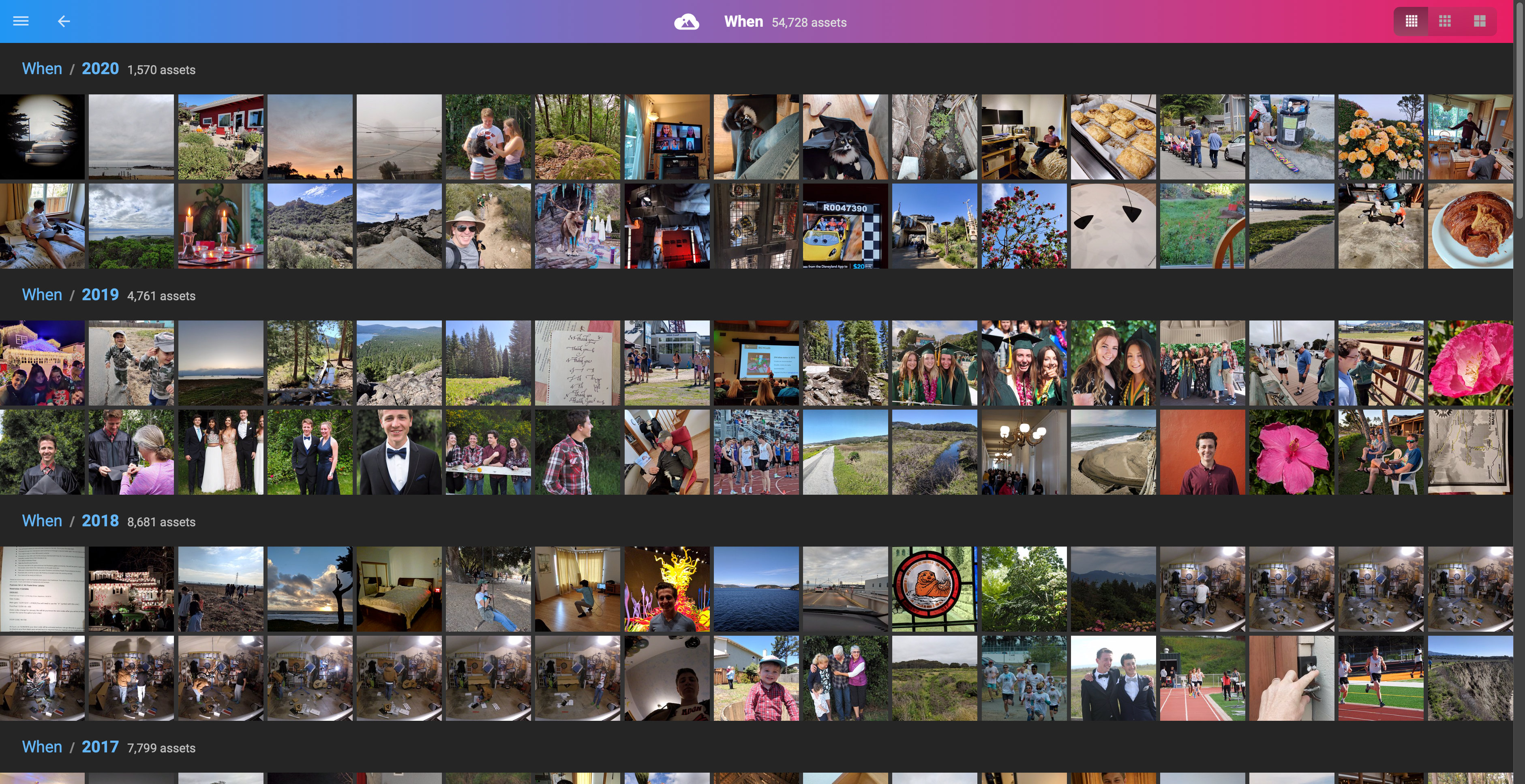
Random samples from every year - a different view each time
Swing across branches where they touch 🌟
Your metadata already forms hierarchies: dates, locations, cameras, folders, even the people in each frame. PhotoStructure extracts those hierarchies and lets you traverse them.
Browse Where/France/Paris, click into a photo, then hop into When/2018/July, or into whoever else was standing in that frame. Each photo lives in every stream it belongs to, and you can swing between them wherever the branches touch.
That’s where the Structure in PhotoStructure comes from: the structure was already there, hiding in the metadata.
Read the design story behind random samples and hierarchical browsing →
🔒 Privacy
PhotoStructure was designed to know as little about you as possible.
Our privacy policy fits on a napkin*
The whole thing, in four lines:
Your photos and videos always stay on your hardware. Period.
Free edition users share zero personal info. Not your name, not your email, not even your IP address gets stored.
Plus subscribers share their email address and payment info. We only ask for payment info after your free trial, if you choose to continue your subscription. (Wouldn’t it be nice if all subscriptions worked this way?)
Error reporting is opt-in. PhotoStructure asks during setup, and you can change your mind anytime.
*Granted, it’s a big double-sided napkin, but we dare you to find a shorter CCPA- and GDPR-compliant policy.
We sell software, not you
PhotoStructure’s only revenue is subscriptions: no advertising, no data brokerage, no hidden monetization. The few things PhotoStructure does talk to outside servers about (update checks, error reports) are documented in the FAQ, and most can be turned off.
We don’t know how many of you there are
We honestly don’t know, and that’s by design. We can count plus subscribers because they have an account, but the free lite edition has no tracking, no analytics, no “phone home”. We can’t lose your usage data in a breach when we never collected it.
For feedback, we rely on the forum and Discord communities.
💎 Durability
Your photos should outlast the company that organized them.
Most software is built for the next release. PhotoStructure is built to still open your library decades from now.
Built for lifetimes of photos
Many photo apps slow to a crawl or crash once a library grows past a few thousand files. PhotoStructure has been tested with libraries of millions of files, and stays responsive throughout.
Backups, health checks, and validation
PhotoStructure backs up your library database automatically and continuously monitors for problems (viewable on the about page). When something’s wrong, repair tasks run on their own: database optimization, import retries, restarting its own helpers when memory runs high, clearing caches when disk is low, and pausing imports before you run out of space.
New photos and videos are validated for corruption before being added to your library.
If we shut down
If PhotoStructure, Inc. disappears, your PhotoStructure library keeps working.
The source code for all PhotoStructure editions will be open-sourced if the business closes. Your investment is protected, your photos remain accessible, and the community can pick up development.
I’ve been writing and maintaining open source software for more than 25 years, and parts of PhotoStructure are already open source:
- exiftool-vendored
- @photostructure/fs-metadata
- @photostructure/sqlite
- @photostructure/sqlite-vec
- batch-cluster
- mkver
📸 Try PhotoStructure
Your photos shouldn’t be held hostage by anyone, including us. If your subscription lapses, your library keeps working. PhotoStructure gives you something most cloud services can’t: ownership that outlasts us.
Your memories deserve better than quarterly earnings reports and pivot strategies.
Our free 2-week trial doesn’t even require a credit card. Download, install, and start browsing your photos in minutes.
Install PhotoStructure - It's Free to Try📚 Learn more
- PhotoStructure’s complete user guide
- The founder’s story: Why I built PhotoStructure
- Getting started with PhotoStructure
Still have questions? Join our community forum or Discord.
