What are error reports?
Error reporting is opt-in. PhotoStructure asks during setup whether it may send error reports, and sends nothing unless you say yes.
If you turn it on, PhotoStructure sends a report to Sentry, our error tracking system, when it encounters an unexpected error. These reports help us find and fix the cause.
📋 What’s included in an error report?
- Operating system (macOS, Linux distribution, Windows) and version
- Hardware information (RAM free/used, and CPU make/model)
- Mounted volume metadata (mount points, free/used, and whether the volume is remote)
- Recent health check results (viewable on the About page)
- Your email address, only if you’ve set the
emaillibrary setting - Context around the error
- Recent log messages
For details on what log messages contain, see log files.
What’s not included?
Error reports never include actual image content from your photos or videos. PhotoStructure also applies Sentry’s built-in privacy and data scrubbers to all reports.
What’s actually sent?
Each time an error report is sent, PhotoStructure saves the full JSON payload to
your events directory:
%APPDATA%\PhotoStructure\eventson Windows$HOME/Library/Application Support/PhotoStructure/eventson macOS$HOME/.config/Photostructure/eventson Linux
⏱️ How frequently are these sent?
Only unexpected or internal errors trigger a report. They should be rare.
PhotoStructure caps reports at 3 per day by default. You can change this via the
maxErrorsPerDay library setting.
🔄 How to change your mind
Visit your PhotoStructure settings page, and choose “No thanks”:
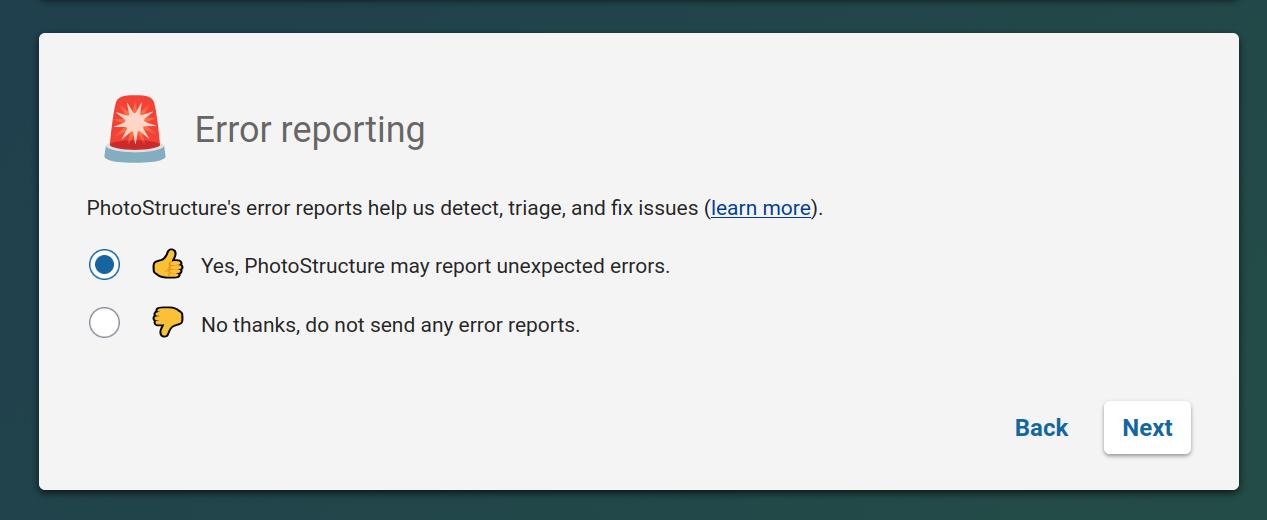
If you prefer config files, the underlying library
setting is
reportErrors.
