
Where should PhotoStructure look for photos and videos?
Scan paths are the folders PhotoStructure searches for your photos and videos. You configure them during setup and can change them anytime from the settings page.
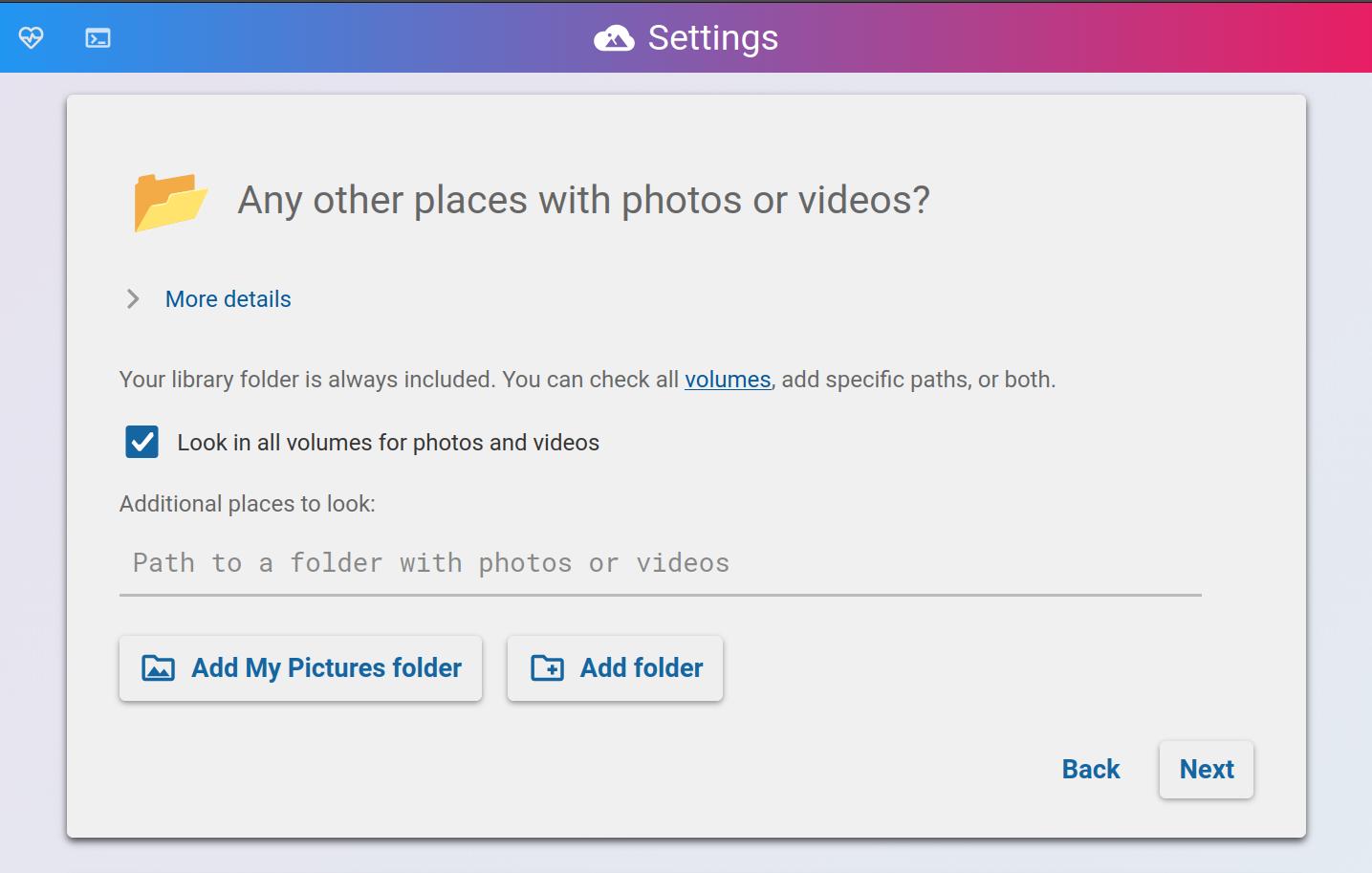
The scan paths section of the settings page
Where PhotoStructure looks
PhotoStructure checks three sources, in this order:
- Your library folder — always scanned, no configuration needed.
- Paths you’ve added — specific folders you’ve pointed PhotoStructure at (e.g., an external drive, a NAS share, your Pictures folder).
- All volumes — if the “Look in all volumes” checkbox is enabled, PhotoStructure scans every mounted volume it can find.
Most users enable “all volumes” and don’t need to add individual paths. Add specific paths when you want to scan a folder on a volume that isn’t automatically detected, or when you’ve disabled the “all volumes” option.
Adding and removing paths
Open the settings page from the navigation menu. The “Any other places with photos or videos?” section lets you add or remove scan paths.
- Adding a path starts a sync of that folder. PhotoStructure will import any photos and videos it finds.
- Removing a path stops future scanning of that folder. Photos already imported into your library stay — nothing is deleted.
On desktop (macOS/Windows), you can browse for folders. On Docker and server installs, type or paste the absolute path.
What gets scanned (and what doesn’t)
Within each scan path, PhotoStructure examines every file and subdirectory, but automatically skips:
- Hidden directories (names starting with
.) - System and application directories (like
node_modules,AppData,.Trash) - NoMedia directories (containing a
.nomediafile or folder) - Directories matching your
excludeGlobspatterns
Files that don’t match PhotoStructure’s import criteria (wrong type, too small, corrupt) are noted in the sync report with the reason. See why didn’t my file get imported? for the full list of filters.
Docker and scan paths
In Docker, your host directories are available through bind mounts. The “all volumes” checkbox scans every bind mount — usually the simplest approach.
If you need finer control, disable “all volumes” and add specific container paths (e.g., /ps/photos, /ps/nas) as scan paths instead.
See the Docker setup guide for details on configuring bind mounts.
Environment variable
You can also set scan paths via the PS_SCAN_PATHS environment variable. Use standard PATH formatting or JSON:
# Colon-separated (Linux/macOS)
PS_SCAN_PATHS="/photos:/backup/pictures"

# JSON array (any platform)
PS_SCAN_PATHS='["/photos", "/backup/pictures"]'
See also
- What’s a volume? — how PhotoStructure identifies storage devices
- How to hide directories — excluding folders with
.nomediaand hidden directories - Sync reports — detailed log of what happened during each scan
- Why is my file missing? — common reasons files aren’t imported
