Sync reports
Every time PhotoStructure scans your photo and video folders, it writes a sync report, a detailed log of every file and directory it encountered, what happened, and why.
Sync reports are your best tool for answering questions like “why wasn’t this file imported?” or “what happened during the last sync?”
📡 System activity page
The quickest way to monitor a sync is the System activity page. Click the activity icon in the navigation bar to open it.
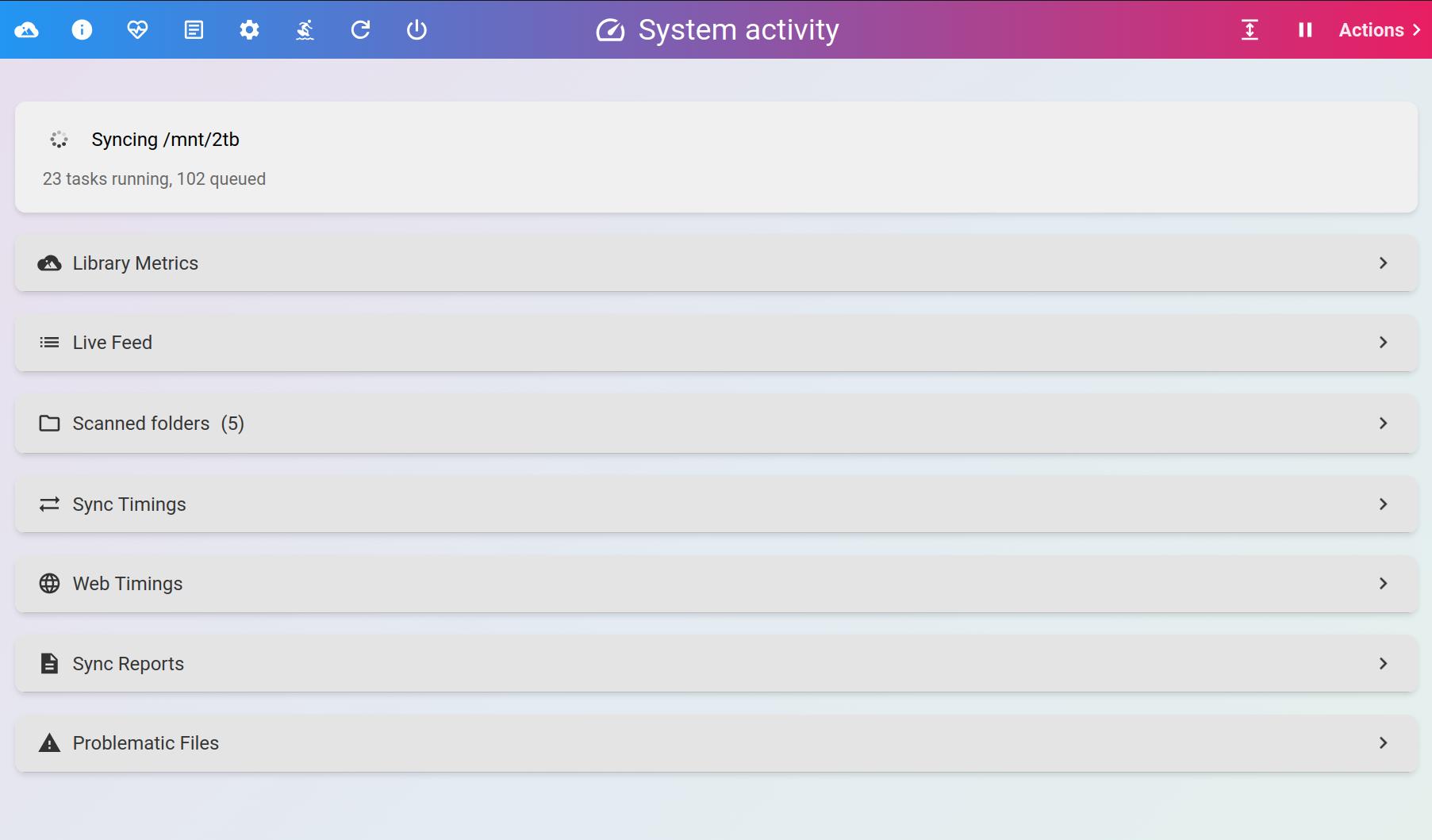
The System activity page shows sync status at a glance
📂 Scanned folders
Expand Scanned folders to see a summary for each scan path: how many files were imported, excluded, errored, or are still pending. Click Sync now to resync any path.
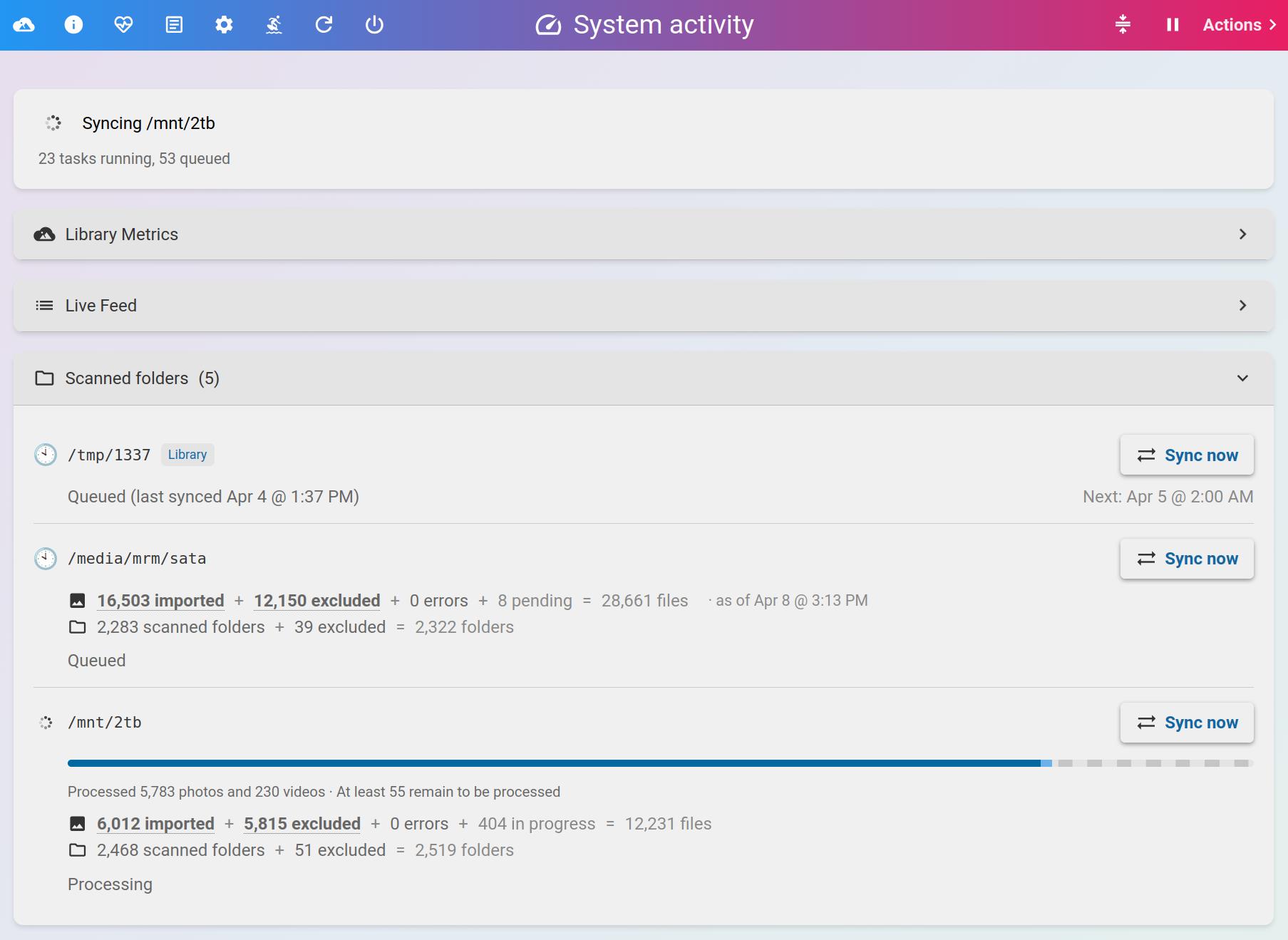
Per-path sync summaries
🔴 Live Feed
Expand Live Feed to watch sync events in real time. Use the filter buttons to narrow the view to imported files, files that weren’t imported, or errors.
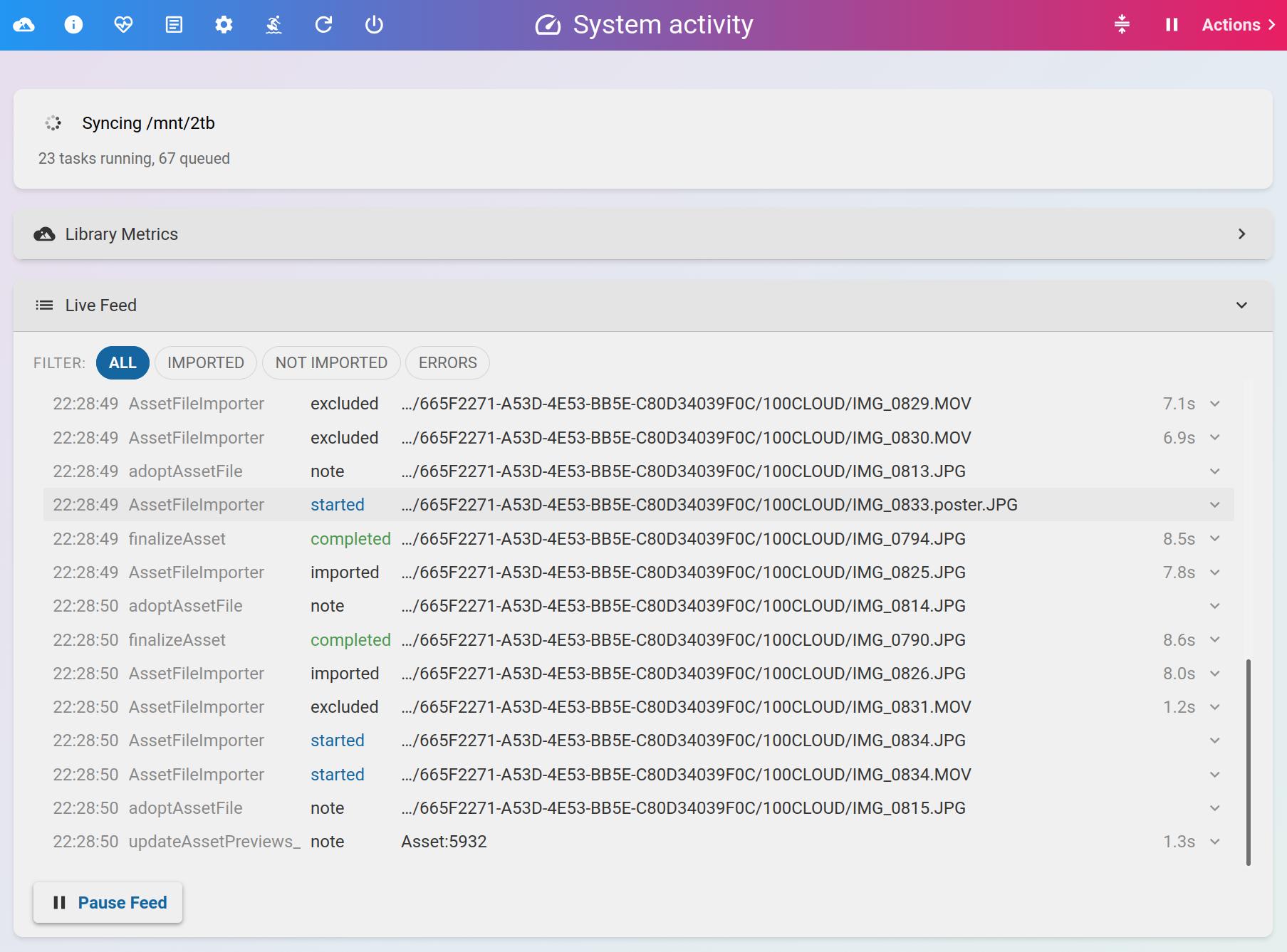
Real-time sync events with filter buttons
Each row maps to a sync report entry, with the same fields and states described below.
🗺️ Where to find them
You can download sync reports directly from the Sync Reports section of the System activity page.
On disk, they live in your library’s .photostructure/sync-reports/ directory, organized by date. PhotoStructure creates a new report file each time it restarts or finishes syncing a scan path.
The files use the JSON Lines format (.jsonl). Each line is a self-contained JSON object describing one event. You can open them in any text editor.
🌾 Fields
Each line contains these fields:
| Field | Description |
|---|---|
ts | Timestamp in milliseconds since 1970-01-01 |
at | Human-readable ISO timestamp |
path | Native file or directory path (empty for system messages) |
type | "file" or "dir" (omitted for system messages) |
state | What happened (see tables below) |
from | Which codepath produced this event |
elapsedMs | Processing time in milliseconds (when applicable) |
details | Why a file was excluded, what went wrong, etc. |
url | PhotoStructure URL for the imported asset (when applicable) |
meta | Additional structured metadata |
The state of any path is determined by its last row. Sync reports are append-only, so earlier rows for the same path are superseded.
📄 File states
| State | Description |
|---|---|
imported | The file was newly imported into your library. |
updated | The file was already in your library but was re-imported because it changed on disk (different modification time or file size). |
unchanged | File metadata already matches your library. No changes needed. |
copied | The file was copied into your library’s originals directory (when automatic organization is enabled). |
excluded | The file was excluded by your import settings (file extension, size, glob pattern, etc.). Check details for the reason. |
unavailable | The file is temporarily inaccessible, usually because its volume isn’t mounted. |
blocklisted | The file caused repeated timeouts and was permanently blocked. Files with the same content hash will not be retried. |
absent | The file was previously imported but no longer exists on disk. The volume is accessible, but the file is gone. |
deleted | The file was rejected by filters or deleted by the user. |
trashed | The file was moved to the trash at your request. |
failed | Something went wrong. Check details for the error. |
timeout | Processing took too long. |
stalled | Processing is taking unusually long (but hasn’t timed out yet). |
canceled | PhotoStructure was shut down during processing. |
started | The file was pulled from the work queue and is being processed. |
validated | The file’s contents were checked for corruption, or details explains why they were not (validation is off by default for videos). Emitted while the import is still in progress, so it is never a file’s final state. |
note | Informational: sidecar associations, adoption events, etc. |
warning | Something unexpected happened. Check details. |
completed | An asset task (finalization, repair) finished. |
unknown | An internal error occurred. |
📁 Directory states
| State | Description |
|---|---|
scanning | The directory is being read. |
scanned | The directory was read. Files within it may still be processing. |
excluded | The directory was excluded by settings (hidden directory, .nomedia marker, glob pattern). |
unavailable | The directory is temporarily inaccessible (e.g., a nested mountpoint scanned separately). |
completed | The directory and all its contents were fully processed. |
failed | Reading the directory failed. |
timeout | Reading the directory took too long. |
stalled | The directory scan is taking unusually long. |
canceled | PhotoStructure was shut down before the directory was processed. |
🪪 State name changes
If you have sync reports from older versions of PhotoStructure, you may see these legacy state names. PhotoStructure reads them correctly. No action needed.
| Old name | New name | Notes |
|---|---|---|
synced | imported | Renamed for clarity |
noop | unchanged | Renamed for clarity |
rejected | excluded | Merged file and directory exclusions into one state |
skipped | unavailable | Renamed for clarity |
excludedDir | excluded | Now uses excluded with type: "dir" |
🛠️ Working with sync reports
Filter with ripgrep:
# Find all errors
rg '"state":"failed"' *.jsonl

# Find excluded files
rg '"state":"excluded"' *.jsonl

# Find a specific file
rg 'vacation/sunset.jpg' *.jsonl
Process with jq:
# Show all imported files
jq 'select(.state=="imported")' *.jsonl

# Show exclusions with reasons
jq 'select(.state=="excluded") | {path, details}' *.jsonl

# Convert to CSV for Excel or LibreOffice
jq -r '[.ts,.at,.path,.type,.state,.from,.elapsedMs,.details,.url] | @csv' \
  *.jsonl > report.csv
👀 See also
- Why is my file missing?: common reasons files aren’t imported
- Library syncing vs rebuilds: how syncs and rebuilds differ
- Log files: PhotoStructure’s internal logs (separate from sync reports)
