
What's a hierarchical tag?
All of PhotoStructure’s tags are “hierarchical.” This article will try to explain how they work, and why they’re useful.
🏷️ Flat tags
Most popular tagging systems, or folksonomies, are “flat.”
Twitter’s hashtags are an example of flat tags; there’s no explicit relationship between any two hashtags.
🌳 Hierarchical tags
So, what if you did want to group together, say, all your #eiffeltower and
#louvre tags together?
PhotoStructure supports hierarchies,
so you can tag photos with Paris/Eiffel Tower and Paris/Louvre. In fact,
PhotoStructure supports arbitrary depths, so Where/France/Paris/Louvre works
too (and is actually recommended).
These hierarchies are much more expressive than flat tags, as they infer relationships between “ancestor” and “descendant” tags (looking at parents and their progeny), and loose relationships between “sibling” tags (those that share a common parent).
Hierarchical classification isn’t a new idea, of course–biological taxonomies have existed for centuries, and ontologies for millennia. Computer file systems have supported “folder” or “directory” hierarchies for more than 50 years.
📛 PhotoStructure etymology
These hierarchical tag “structures” are what drove the name of this product: PhotoStructure references these hierarchical tags.
👨👧 Tag inheritance
PhotoStructure’s tag hierarchies apply implicit inheritance.
In other words, all path elements within a hierarchical tag must apply to the asset.
If an asset is tagged with Camera/Canon/EOS 5D, PhotoStructure also associates
it to Camera/Canon and Camera, via inheritance.
An asset tagged with Where/France/Paris/Louvre must have been taken in Paris,
and also taken within France.
An asset whose containing directory is /home/alice/Photos/travels will be tagged with fs/home/alice/Photos/travels.
🔄 But I’ve already spent time adding keywords to my files!?
As PhotoStructure imports your photos and videos, it extracts existing keyword
metadata from the photo or video, sidecar, or JSON takeouts. When it finds
simple keywords, it adds those keywords to the Keywords root tag.
As an example, if you tagged a photo with “blue” and “sky”, PhotoStructure will
add Keywords/blue and Keywords/sky to that asset.
Note that PhotoStructure also supports hierarchical keywords as well as hierarchical names (given/family and family/given). See the keywords FAQ for details.
💡 Why bother?
As a PhotoStructure user, you had to spend time reading this page to grok what was going on, and PhotoStructure’s code is (substantially!) more complicated in order to gracefully handle these hierarchies.
Hierarchical tags enables our “samples” browsing, which we hope you’ll love as much as we do.
Browsing hierarchies via samples
Photo galleries typically use one browsing mode: a reverse-chronologically-sorted list of photos and videos.
The human brain is remarkable at image recognition and pattern matching. We recognize patterns effortlessly, and find repetition boring: like seeing the last handful of photos and videos you’ve taken.
We find new patterns and images interesting, and even delightful.
PhotoStructure shows you a “taste” for descendants of the tag you’re browsing,
for example, When/2020, and When/2019, and so on. Rather than a static set
of all assets that you’ve seen before, you can scroll though decades in just a
couple screenfulls:
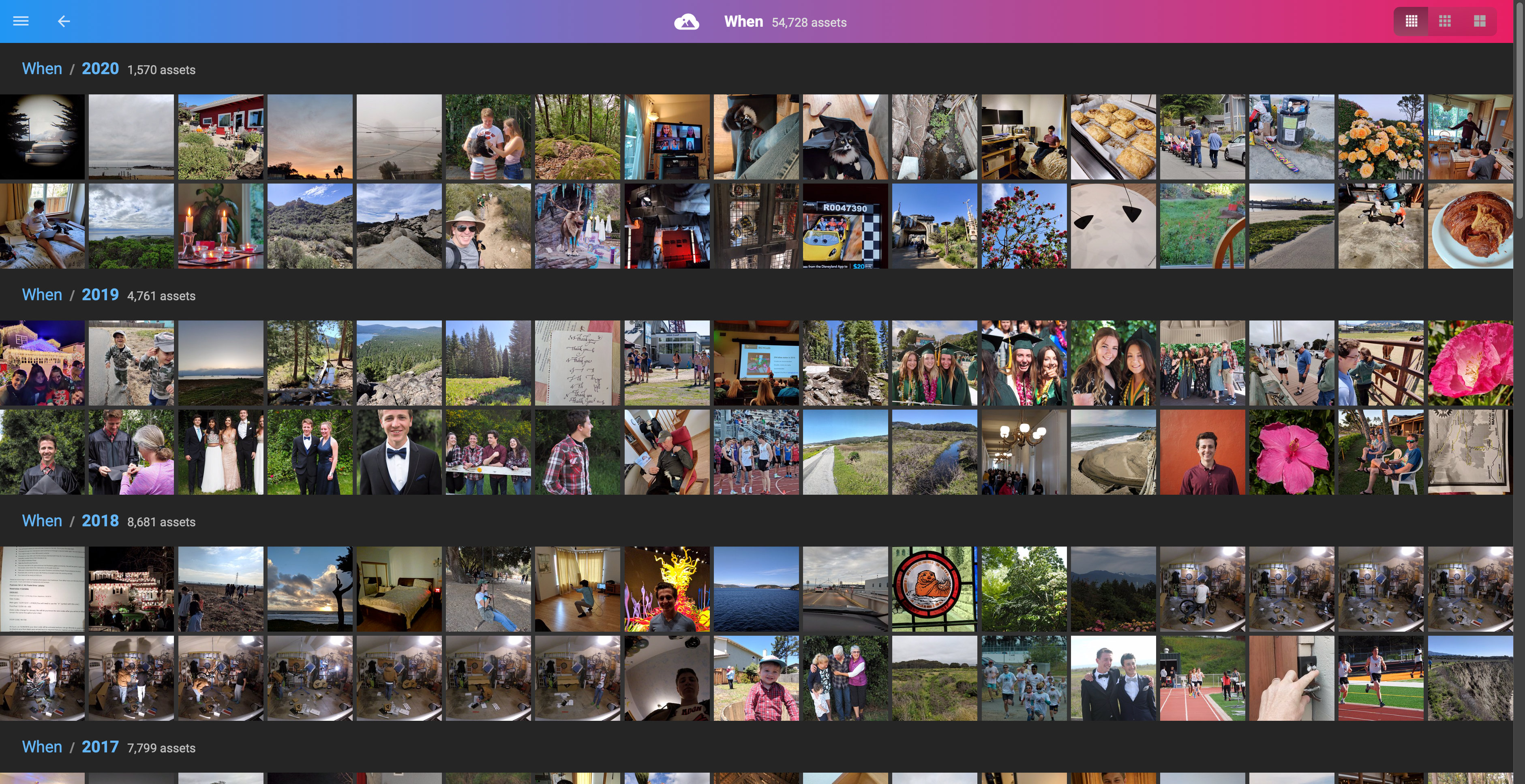
Samples of photos tagged with child tags of When
Each root tag is a facet: one way to browse the same library. This “samples” interface applies to every facet, so it works for file type, camera, lens, and filesystem as well as When.
🔢 Asset counts and deduplication
When browsing directory tags, a parent folder’s asset count can be less than the sum of its child folders’ counts.
This is expected: PhotoStructure counts unique assets, not files.
If the same photo exists in two different subdirectories (a backup copy, an edited version, or a RAW+JPEG pair), PhotoStructure recognizes them as the same asset and counts it once in the parent.
For example, if vacation-2024/ contains 100 assets and backup/vacation-2024/
contains 100 assets, but 10 of those are duplicates, the parent folder would
show 190 assets (not 200).
This deduplication is intentional — it gives you an accurate count of your unique photos and videos, not how many copies exist on disk.
