Why should I use PhotoStructure?
PhotoStructure is designed to be a safe, permanent home for all your photos and videos.
In a world where cloud services disappear, subscriptions increase unexpectedly, and your precious memories can vanish overnight, PhotoStructure offers something different: true ownership of your digital life.
PhotoStructure is uniquely focused on:
- 🏰 Ownership - Your data stays yours, forever
- 🏖️ Convenience - Effortless setup and maintenance
- 🔒 Privacy - No tracking, no data mining, no surprises
- 💎 Permanence - Built on standards to last decades, not quarters
“I wanted a solution that would work as well in 2040 as it does today. Something my kids could inherit along with the photos themselves.” — Matthew, PhotoStructure founder
Features unique to PhotoStructure are marked with a 🌟.
🏰 Ownership
Remember when you owned your photos, and they were on your shelf? PhotoStructure brings that back.
PhotoStructure is “self-hosted,” which means it only runs on your computer. Your photos and videos stay at home. No corporate shenanigans. No mysterious algorithm changes. No sudden policy updates that lock you out of your own memories.
With PhotoStructure, your stuff safely stays with you. Always.
🏖️ Convenience
Self-hosted doesn’t mean complicated. PhotoStructure is designed to be super easy to install, setup, and live with.
Runs Everywhere, Demands Nothing
PhotoStructure doesn’t require expensive, proprietary hardware or a computer science degree. It happily runs on:
- Your laptop - MacBook, ThinkPad, gaming laptop - doesn’t matter
- Your desktop - Windows, Mac, Linux - all supported
- Your server - From Raspberry Pi to enterprise rack
- Your NAS - Synology, QNAP, or custom builds
- Cloud VPS - If you want the cloud experience without the cloud lock-in
Desktop installers for macOS, Windows 10+, and Linux. Server installations, including Docker, are also supported.
Upgrades are automatic for most editions of PhotoStructure, and new features show up automagically.
View your library on any of your devices
The PhotoStructure library user interface is web-based, designed to be quick and fun to use even over limited bandwidth connections.
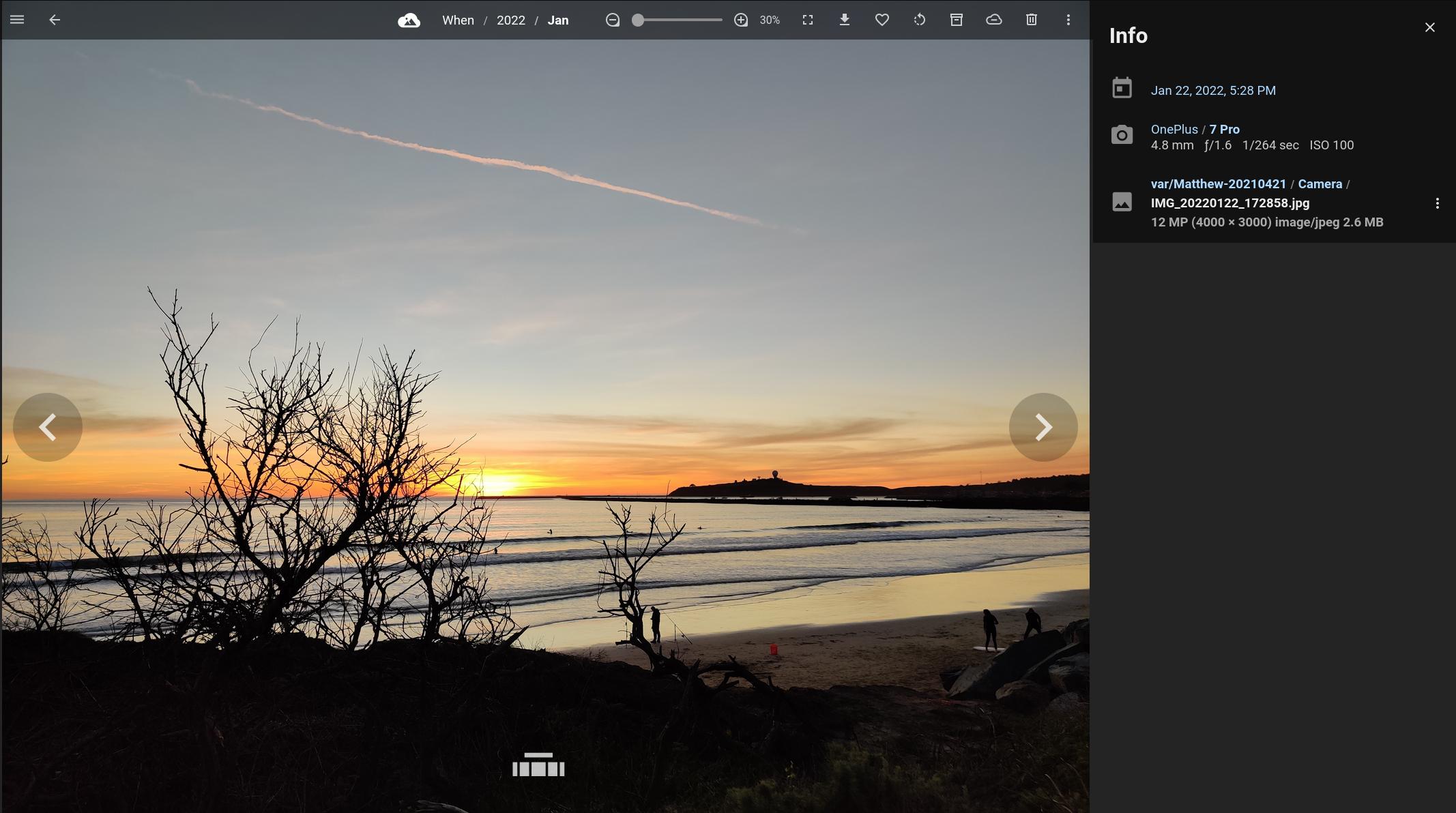
PhotoStructure’s full-screen asset view
Quick and Easy Installation
Less than 60 seconds from download to browsing your photos. The welcome page asks just two questions: where should your library live, and where are your photos now? Then PhotoStructure gets to work.
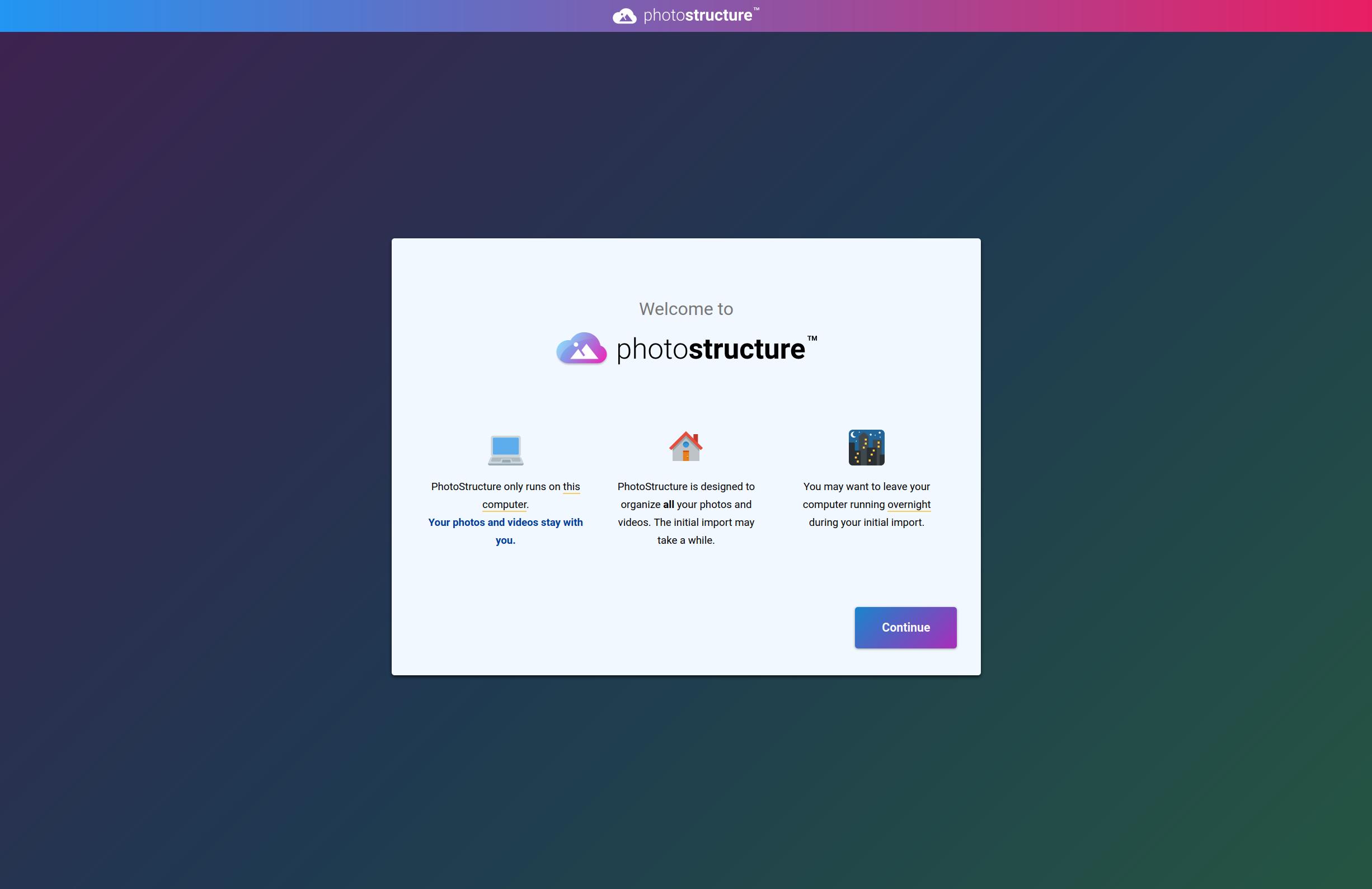
PhotoStructure’s welcome page - just a couple clicks to get started
Rediscovery Through Smart Sampling 🌟
Most photo apps show you the same recent photos over and over. Your brain gets bored. You stop looking.
PhotoStructure does something different.
The Science of Surprise
The human brain is remarkable at pattern recognition, but it craves novelty. We find repetition boring (like seeing the same recent photos), but new patterns delightful.
PhotoStructure’s secret: Every page shows you a random sampling from your entire library.
- Home page - Random selection from across decades
- Click “When” - Random samples from every year, not just recent photos
- Click a year - Random samples from each month
- Every visit is different - The page changes each time you look
The Rediscovery Effect
Users consistently report the same thing: “I keep finding photos I’d forgotten I had.”
You’ll rediscover memories you haven’t seen for years. That family vacation from 2015. Your kids’ first steps. The sunset photo that made you smile.
It’s like having a personal museum curator who knows exactly when to surprise you.
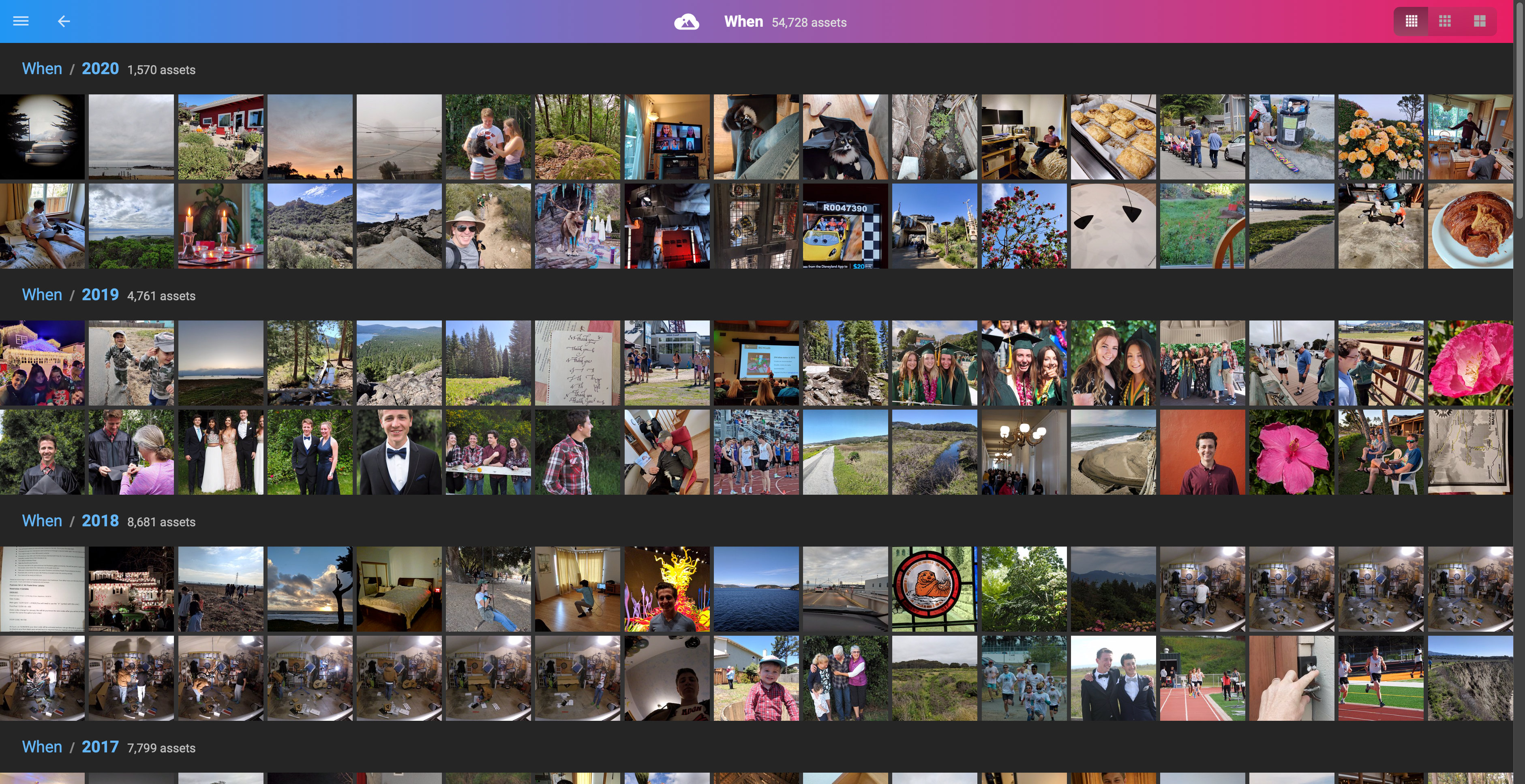
Random samples from every year - a different view each time
Works in the Background, Never in the Way
PhotoStructure is the opposite of cryptocurrency mining. Instead of stealing all your CPU, it’s designed to be a polite house guest.
PhotoStructure schedules background work carefully to keep your computer usable and responsive, even during massive library imports and deep filesystem scans.
You can work, game, or stream while PhotoStructure organizes decades of photos in the background.
Automatic imports and synchronization
PhotoStructure can automatically import photos and videos from all your drives.
PhotoStructure will find that old backup folder that has some long-forgotten baby pictures, and the new photos you just uploaded, without you doing anything.
Automatic organization
What I had before I started PhotoStructure: a pile of hard drives and old backups and duplicates and some files that had succumbed to bit rot. A big, intractable mess.
What I wanted: a deduplicated set of all my photos and videos, in one organized folder hierarchy.
So I wrote it. PhotoStructure can bring some order to your chaos with automatic organization.
The World’s Smartest De-duplicator 🌟
Most de-duplication tools find exact copies. PhotoStructure finds everything else.
PhotoStructure automatically groups together duplicate copies and similar variations of your photos and videos, scaling to libraries with millions of files.
Beyond Simple Copying
PhotoStructure doesn’t just find identical files. It understands that:
- The iPhone photo and the edited JPEG are the same moment
- The rotated version and original are the same image
- The photo you cropped and the original share the same memory
- The burst sequence belongs together, even if file sizes differ
We use extensive metadata extraction and content analysis to find copies other tools miss.
Support for almost every photo and video format under the sun
PhotoStructure supports several hundred image and video formats, including JPEG, tons of different RAW image types, HEIC, and tons of video formats.
PhotoStructure automatically builds high-quality web-friendly previews for videos and “raw” image formats so they are viewable by your web browser.
Automatic photo and video validation
Photos and videos are automatically checked for corruption before being imported into your library.
Advanced metadata handling 🌟
PhotoStructure reads metadata information from .xmp, .mie, .exif, .exv,
and Google Takeout .json sidecars.
For the files that are missing important metadata, like when the asset was captured, PhotoStructure uses a series of heuristics to “fill in the gaps,” including interpolating captured-at time from sibling files and parsing path names for embedded date stamps.
This metadata inference powers automatic organization.
No other software does a more thorough job of metadata extraction than PhotoStructure!
Advanced search 🌟
PhotoStructure supports a rich search grammar to quickly and easily find just what you were looking for.
Read more about PhotoStructure’s search feature here.
🔒 Privacy
In 2025, true privacy is rare. Most companies build their entire business model around harvesting your data. PhotoStructure does the opposite.
Our Privacy Policy Fits on a Napkin*
Our privacy policy is refreshingly short, by design.
Here’s the complete summary:
Your photos and videos always stay on your hardware. Period.
Free edition users share zero personal info. Not your name, not your email, not even your IP address gets stored.
Plus subscribers share their email address and payment info. We only ask for payment info after your free trial, if you choose to continue your subscription. (Wouldn’t it be nice if all subscriptions worked this way?)
Error reporting is opt-in and can be disabled anytime.
*Albeit it’s a big double-sided napkin, but we dare you to find a shorter CCPA and GDPR compliant policy!
The Business Model That Protects You
Most “free” services make money by selling your data. PhotoStructure makes money the old-fashioned way: we sell software, not you.
PhotoStructure’s only revenue comes from users who choose a plus subscription. No advertising. No data brokerage. No hidden monetization. (Details on external server contacts are in the FAQ.)
How Many Users Do You Have?
We honestly don’t know, and that’s by design. We can count our plus subscribers, but we have no idea how many people use the free lite edition. No tracking, no analytics, no “phone home” features. We can’t lose your usage data in a breach, because we don’t collect it in the first place.
Instead, we rely on our active forum and Discord communities for feedback.
💎 Permanence
Your photos should outlast the company that organized them.
In a world of venture capital, pivot strategies, and planned obsolescence, we’ve made different choices. PhotoStructure is built to be your photo library’s forever home.
Built for Decades, Not Quarters
We’ve made technical and business decisions so your PhotoStructure library stays accessible for decades.
Portable Libraries and Open Standards 🌟
PhotoStructure doesn’t lock you in. Your library is portable across both machines and operating systems. Create it on a Mac, move it to Windows, then to your NAS. Everything just works.
No proprietary formats or expensive hardware required:
Your photos and videos can stay exactly where they are (even across multiple drives or remote servers), or PhotoStructure can automatically organize them into customizable folder structures.
Metadata edits are stored in standard formats (like EXIF), and updates from other applications are imported automatically. Read more about interoperability.
Your library database is SQLite with a clear, readable schema.
Scalability
Many photo libraries slow down or crash after importing thousands of assets. PhotoStructure is designed from the ground up to manage lifetimes of photos and videos, tested and verified to run quickly with libraries containing millions of files.
Automatic Backups and Health Checks
PhotoStructure backs up your library database automatically and continuously monitors for problems (viewable on the “about” page). When issues are detected, repair tasks run automatically: database optimization, import retries, child process recycling when RAM is high, cache clearing when disk space is low, and pausing imports to avoid “out of disk space” errors.
The Ultimate Guarantee
If PhotoStructure, Inc. disappears tomorrow, your PhotoStructure library keeps working.
The source code for all PhotoStructure editions will be open-sourced in the event of business closure. Your investment is protected, your photos remain accessible, and the community can resume and continue development.
This isn’t just a promise. The author has written open source software for more than twenty years, and substantial parts of PhotoStructure are already open source, including
- exiftool-vendored
- batch-cluster
- mkver
- exif-oxide
- @photostructure/fs-metadata
- @photostructure/sqlite
- @mceachen/sqlite-vec
Ready to Take Control?
In a world where your photos are held hostage by subscription services and privacy-violating platforms, PhotoStructure offers something unique: true ownership.
Your memories deserve better than quarterly earnings reports and pivot strategies. They deserve permanence, privacy, and the assurance that they’ll be there when you need them.
Install PhotoStructure - It's Free to Try📚 Learn More
- PhotoStructure’s complete user guide
- The founder’s story: Why I built PhotoStructure
- Getting started with PhotoStructure
Still have questions? Join our community forum or Discord.
