PhotoStructure
Rediscover the images of your life.
PhotoStructure

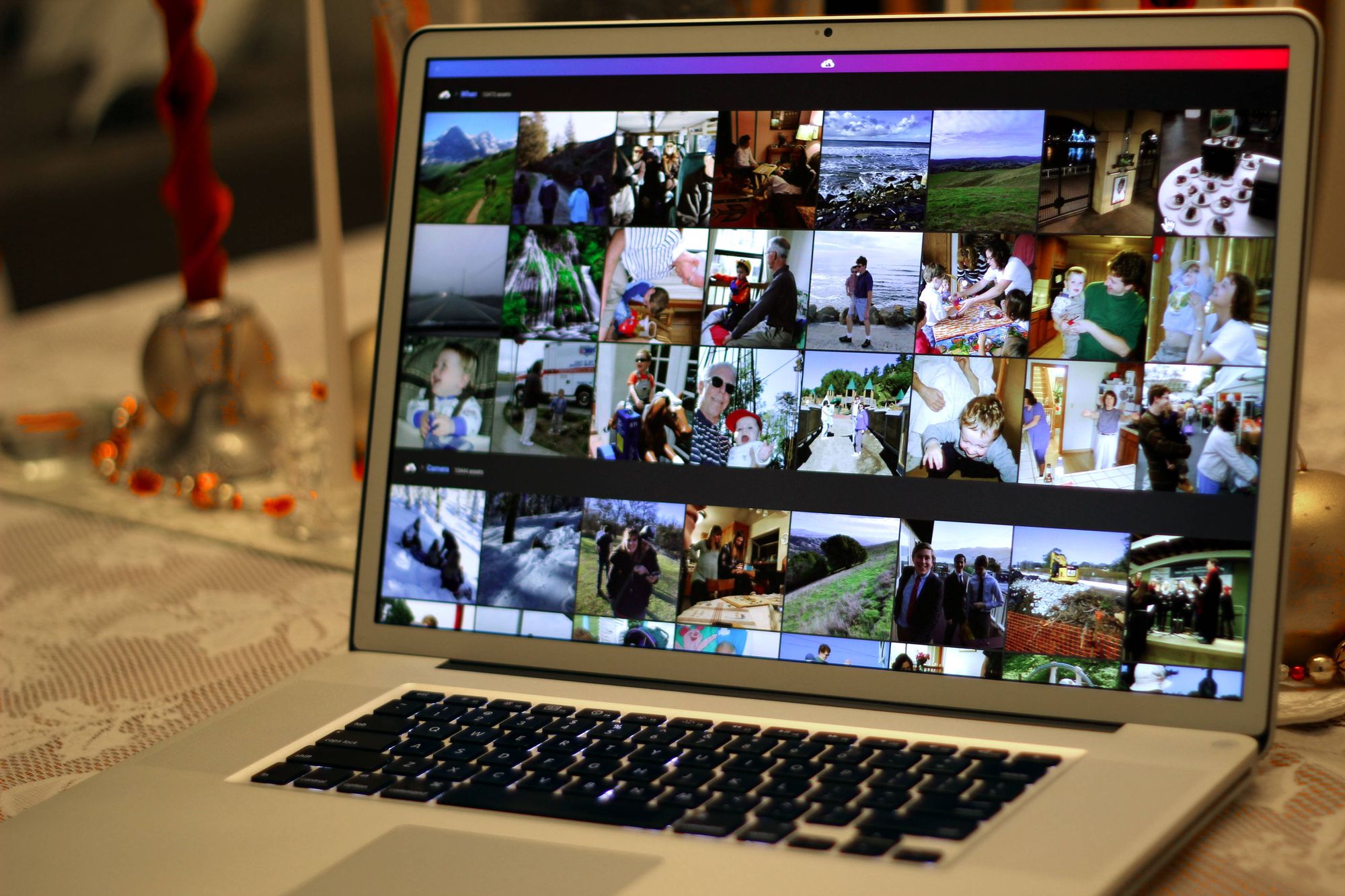
Digital photography has made taking pictures cheap, effortless and enjoyable. It's also made the quantity of photos overwhelming.

Pictures taken and never seen again are worthless. Manually making order out of thousands and thousands of images isn't fun. Most people end up with the digital equivalent of an old shoebox filled with photos they'll never look at again.

PhotoStructure™ was made to pry open your digital shoebox.

Finding, grouping, sorting, and rediscovering your photos is finally effortless.

The conventional approach to browsing files on a computer is tied to the physical analogy of folders or albums. Files live in folders. Photos live in albums.

This approach has serious limitations: it's completely manual, you can only look at one folder or album at a time, and you can't have photos "live" in multiple albums without copying the photo.

So how is PhotoStructure a solution? PhotoStructure

With PhotoStructure you browse "labels", not albums. Your photos can have as many relevant labels associated to them as you see fit, and PhotoStructure "bootstraps" a bunch of these labels for you automatically with Autolabels.

Autolabels: Most digital cameras embed a bunch of metadata related to a photo (like the time and day the photo was taken, the camera make and model, and if a flash was used) into the headers of your photos. PhotoStructure can stick a bunch of labels on each photo with this metadata.

Hierarchal labels: Words are always more powerful when in context. Putting labels in a heirarchy provides this context, and makes browsing even more powerful. It also makes more sense--you shouldn't have to attach the labels "family" and "people" every time you label a photo "Mom", but of course those labels are relevant.

Autoshuffle: If the label you're browsing has more applicable photos than can be displayed at once, a random assortment is shown instead. You'll never see the same page twice when you click "2004", and you'll be happily surprised by seeing photos you had forgotten about.

ideaLabel suggestions: PhotoStructure tries hard to suggest potentially relevant labels to you, and highlights these labels with a lightbulb. The correlations that happen between labels are pretty cool.

Conscious limitations

Installation

Ready?

Please note that this is a beta release. If you do encounter something broken or weird, please take the time to email help <at> photostructure.com.

PhotoStructure

Get set...

Go.

  1. Start PhotoStructure.
    If you don't see a "Java Loading..." splash screen, and then a progress dialog, you still need to get Java. The installation is about 7 megabytes, which will take several minutes, even with broadband.

    After the download finishes, a "Warning - Security" dialog will pop up asking you if you want to trust this application signed by "Matthew McEachen." I'm Matthew McEachen, and I wrote this software. If you don't know me personally, and you're scared of spyware/malware/general evilness, good. You can poke around my web space and see if I seem like a legit, wholesome geek.

    This is version 0.6. You can read the changelog for details.

    Don't like JavaWebStart? Try the web archive.

  2. The welcome page should open shortly, and is where you'll tell PhotoStructure where you keep your photos. This step is a bit klunky right now, because you'll have to manually type a path into a text area. Most Windows users can use "C:\Documents and Settings\".
  3. PhotoStructure will then start looking through your computer for photos and building thumbnails and Autolabels. You won't see all your pictures show up immediately. On my 1.5 Ghz Pentium M laptop, PhotoStructure takes about 5 seconds to process each photo, so it may take several hours before it finishes if you have thousands of photos.
  4. Finally, bookmark the PhotoStructure home page. This is the link to your installation of PhotoStructure.

Frequently Asked Questions

Is PhotoStructure a web server?
Yes. PhotoStructure runs a web server on your own computer that you use a web browser to interact with.

If you have a broadband connection, and know how to configure your hardware firewall to let incoming traffic on port 4242 hit your computer that is running PhotoStructure, you can share photos directly from your computer to anyone on the internet. Note that by default PhotoStructure only binds to loopback so other computers can't see your photos, but if you go to the setup page, you can set "only_allow_local_access" to false.

This is also the reason why PhotoStructure doesn't "exit" when you close the browser. It's meant to run continuously, listening for browsers to connect to the home page and start surfing around, and waking up in the middle of the night and seeing if there are any new photos you've moved onto your computer.

How do I shut down PhotoStructure?
Go to the PhotoStructure Administration page and click "Shutdown PhotoStructure".
How do I restart PhotoStructure?
Click start.
If you're on Windows, Java Web Start should also install shortcut icons into your Programs menu (accessible from the Start button).
How do I uninstall PhotoStructure?
Go to the Java Application Cache, and click remove.
How much does this cost?
PhotoStructure will be free (as in beer) for non-commercial use during the beta phase.
How is this different than a photo sharing service like WebShots?
WebShots (and other photo sharing sites) make it easy for anyone with a digital camera to share their favorite photos. You upload your favorite photos to their server, where your family and friends can see your photos even if your own computer is off.

In order to share your favorite photos, you have to find them first. PhotoStructure is that tool. I'm going to add a "upload this photo to my photo sharing site" link in PhotoStructure as soon as I have some time.

Licensing

Development reports

Recent test reports are generated during development. CVS statistics are also available.

Technologies

PhotoStructure leverages the following open source code and art:


Copyright (c) 2003-2007 Matthew McEachen. All rights reserved.


Java is a trademark or registered trademark of Sun Microsystems, Inc. in the United States and other countries. Last modified: Fri Jan 13 00:54:50 PST 2006