
Fix "Exit handler never called" with Node 22.5.0
📖 A little background
PhotoStructure uses ExifTool to read and write all metadata. ExifTool is written in Perl. PhotoStructure is a TypeScript project that uses ExifTool via the open source exiftool-vendored project.
🔴 A broken PR
Tests for exiftool-vendored are run before releases using GitHub Actions, and a recent PR failed when trying to build against Node.js version 22.x with a cryptic error:
$ run-p lint compile
/bin/sh: 1: run-p: not found
This error would happen if yarn install or npm install wasn’t run beforehand. But the task that does that, yarn ci, ran successfully, right?
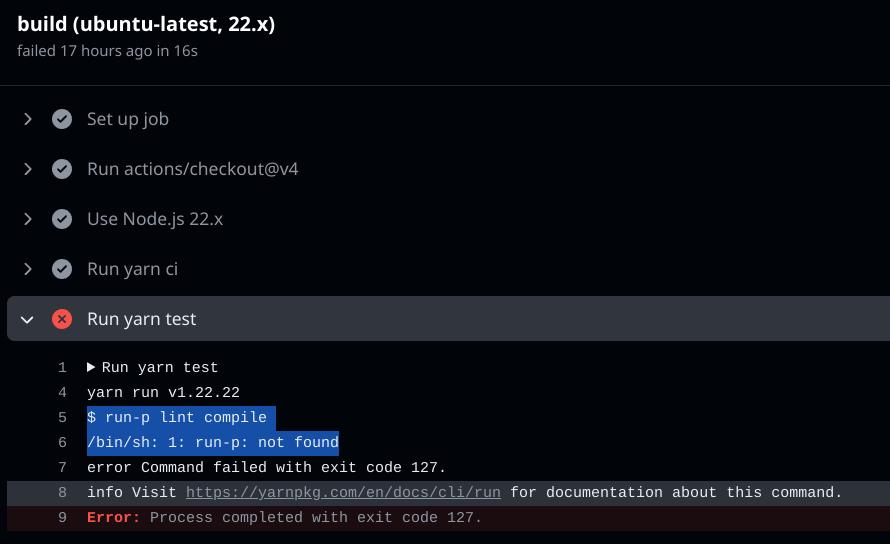
How the color of an icon can waste an hour of your life
I mean, there’s pretty clearly a happy little checkmark by the yarn ci task right there. No need to click the little disclosure arrow, right?
🐛 Is it npm-run-all?
So! Is this an issue with run-p? This is a command from npm-run-all which hasn’t had a new release since 2018.
Did Node v22 break npm-run-all? That’d be a shame: it’s a super useful way to run serial and parallel build tasks.
Let’s replace the run-p call with direct yarn calls. And while we’re at it, let’s see what happened in the yarn install task:
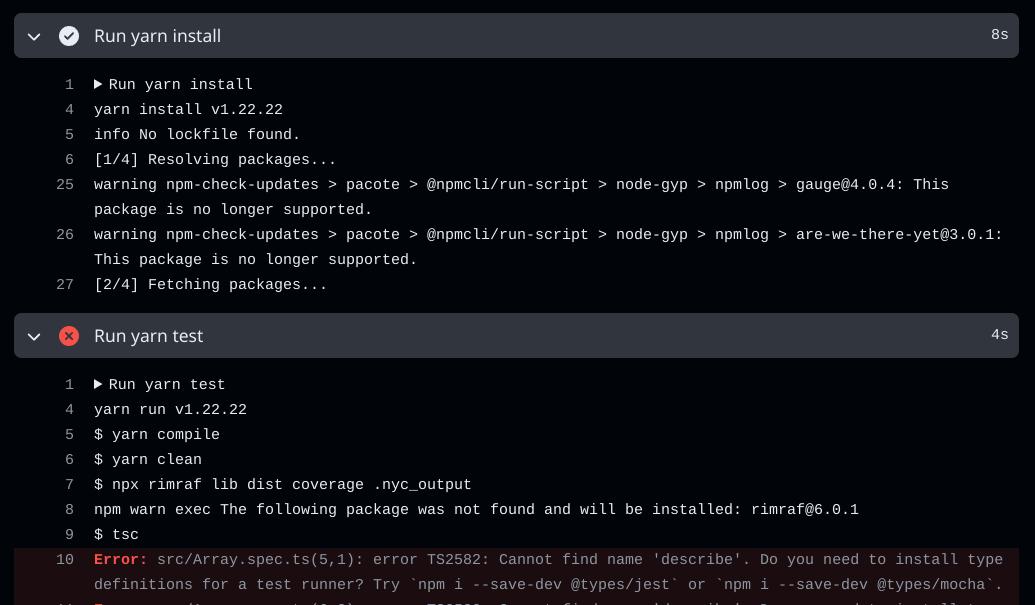
…multiple mysteries afoot…
Wait a minute: there are not one but three things that are odd, inappropriate, confusing, or boring here. See them?
C’mon, at least try.
…
…
…
…
…
…
OK.
Oddness #1: the yarn install task’s last log entry is step [2/4] Fetching packages.... Where’s the log entries from step 3 and 4?
Oddness #2: npx rimraf is warning me that it’s installing rimraf@6.0.1, which we should have installed already in the prior yarn install task.
Oddness #3: tsc cannot find definitions for describe, which we should have installed when yarn install pulled in @types/mocha.
So all signs seem to point to yarn install not working.
🔍 Is it yarn classic?
At this point I’m guessing this must be a new interaction with the latest build of Node.js not working with yarn classic. I mean, yarn@1 has been EOL for how many years at this point, so I don’t blame it.
OK. So the obvious fix is to switch off of yarn classic. No big whoop.
Except that didn’t fix it. Are there any other clues around? Let’s see if the npm install run task worked.
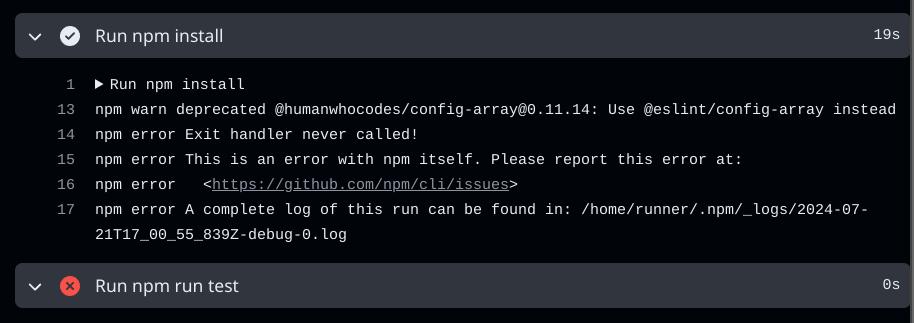
Is the happy checkmark next to “npm install” lying to me?
✅ Finally, a non-spurious error
In case the screenshot is hard to read, here’s the error:
npm error Exit handler never called!
npm error This is an error with npm itself. Please report this error at:
npm error   <https://github.com/npm/cli/issues>
Issues #7672 and #7657 track the error we’re looking at here.
The pull request that reverts the breakage is #53904, and the postmortem is an interesting read, too.
And, good news: they’ve already released v22.5.1 with the revert applied.
Here are the release notes for v22.5.1, which reference the error we’ve been fighting.
🔧 TL;DR: the fix
For my project, the resolution was trivial: force GitHub Actions to use version 22.5.1 in the build matrix.
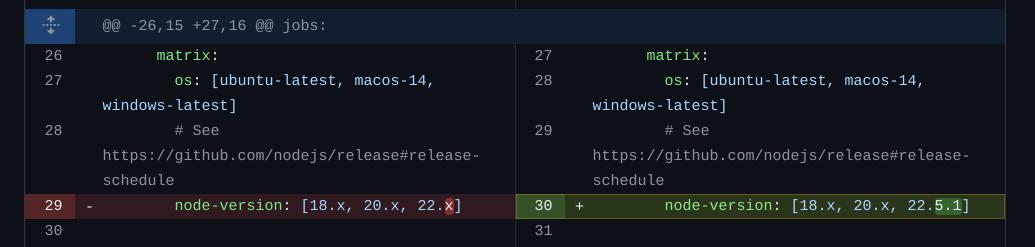
Hack to force GHA to use 22.5.1 (for now)
📝 In conclusion
This was a textbook case of applying a technique like the “five whys” to an error.
The problem:
A PR failed a build.
The build failure is nowhere near anything the PR touched, so it may be an external issue, and indeed it is:
run-p: not foundrun-pis either not in the$PATHof the GHA shell, oryarnisn’t kicking it off correctly with Node v22.run-pisn’t being installed, either due to some issue withnpm-run-alloryarn installbeing broken with Node v22.Well, rather than answer that, let’s avoid the issue and not use
npm-run-all,run-p, oryarn, and directly usenpm(Node’s “native” CLI).Finally after switching to
npm install, we seeExit handler never called! This is an error with npm itselfand can look for a resolution.
Thanks to the Node.js team for already having a release with the fix!
